Mostrando entradas con la etiqueta hitomi. Mostrar todas las entradas

viernes, 9 de febrero de 2018

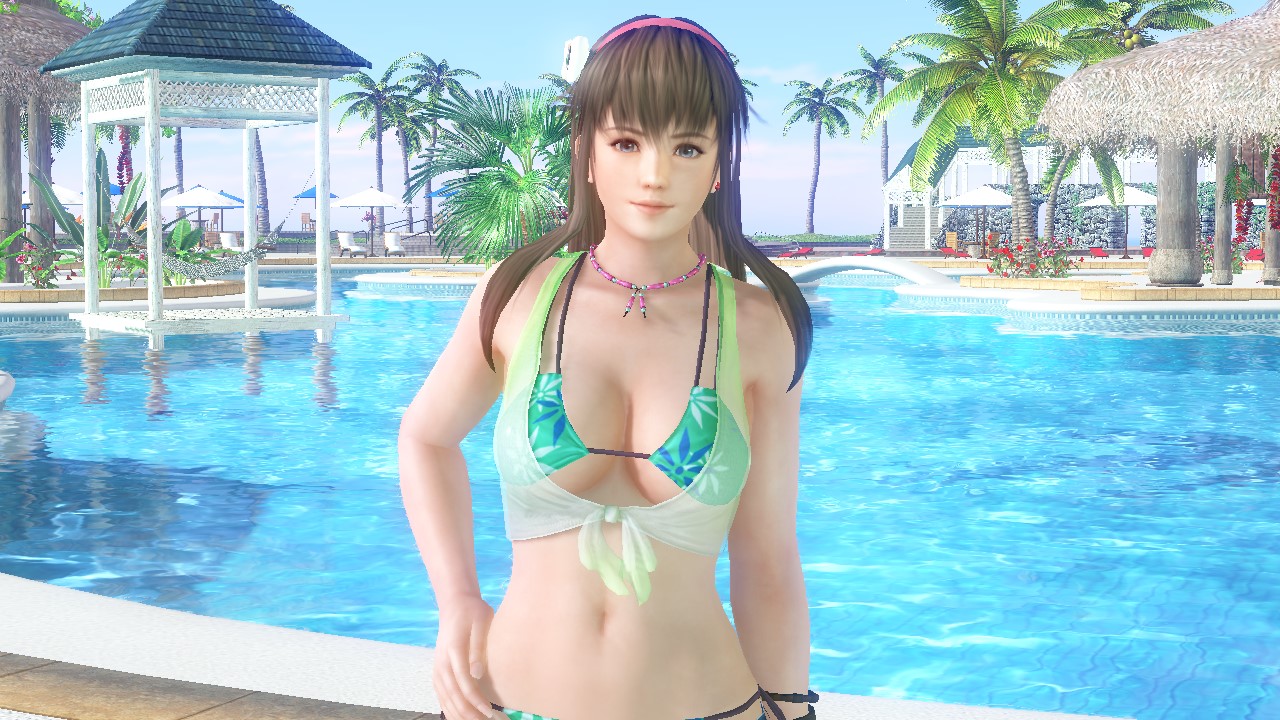
DOAX Venus Vacation: Venus Valentine's Event Hitomi 'Onegai' Missions translated


1. Complete the E Rank Hitomi festival final with Hitomi as Ace girl.


2. Give Hitomi 10 peaches.

3. Take a photo to Hitomi on the poolside (プールサイド).


4. Complete the D Rank Hitomi festival final with Hitomi as Ace girl.

5. Give Hitomi 10 apples.

6. Take a photo to Hitomi on the wharf (桟橋).


7. Complete the C Rank Hitomi festival final with Hitomi as Ace girl.

8. Give Hitomi 10 donuts.

9. Take a photo to Hitomi on the beach.


10. Complete the B Rank Hitomi festival final with Hitomi as Ace girl.

11. Give Hitomi 1 orange juice.


12. Exchange 50 event coins for a White Ribbon in the event store, put it to Hitomi and take a photo to her.


13. Complete the A Rank Hitomi festival semi-final with Hitomi as Ace girl.

14. Exchange 100 event coins for Valentine's Day Studio (Hitomi) in the event store and take a photo to Hitomi there.


15. Exchange 150 event coins for the new posecard [Standing - Please!] in the event store, give it to Hitomi and take a photo of her in that pose.


16. Complete the A Rank Hitomi festival final with Hitomi as Ace girl.

17. Exchange 200 event coins for the toaster in the event store and give it to Hitomi.


18. Take a photo to Hitomi on the hotel room (the reward will be used in the next mission).


19. Take a photo to her wearing the 'Thank you' SR suit.


20. Complete the S Rank Hitomi festival final with Hitomi as Ace girl.

21. Exchange 250 event coins for a Red Ribbon in the event store, put it to Hitomi and take a photo to her.


22. Take a photo to Hitomi on the bed of the hotel room.


23. Awake the skills of Hitomi SR 'Thank you' suit to the max and win a match with her wearing it (the reward is an event episode).


24. Take a photo to her wearing the 'For you' SSR suit (the reward is an extra episode).

martes, 15 de julio de 2014

DOA5U New DLC "Bath & Bedtime costumes"/DOA5U Nuevo DLC "Trajes toalla y pijama"

This new DLC is planned for July, 29th, 2014. 

Each costume will be priced at $1.99/1,99€, the full pack with all costumes $14.99/14,99€.

------------------------------------------------------------------------------------------------------------

Este nuevo DLC está planeado para el 29 de Julio.

Cada traje costará $1.99/1,99€, el pack con todos los trajes $14.99/14,99€.

Source/Fuente: DOA5U official website/DOA5U sitio web oficial


miércoles, 4 de diciembre de 2013

"DOA 5 Photo Processing" web to extract images of doa 5 and 5 ultimate/ Web para extraer imágenes de doa 5 y 5 ultimate

I was looking for another method for upload images of doa 5 or 5 ultimate when I found this website http://aggressive-solutions.de/doa5/ (thank to "mariokart64n" , creator of this website). You only have to move or copy the archive of the image (from your ps3 or xbox 360) to a usb, then move to your computer, if you want upload many images you can add all to a zip file. Also, with this method the images are in the original resolution.
Here some images I uploaded, enjoy it.

UPDATE: The website is closed, but you can still processing your photos (only of Xbox 360 version) with this converter (thanks again to mariokart64n) https://dl.dropbox.com/u/86746436/doa5_screenshot_convert.zip

Please read for know how to use: http://www.doaworld.com/forums/index.php?/topic/3852-xbox360-converting-doa5-screenshots/page-4

-----------------------------------------------------------------------------------------------
Estaba buscando otro método para subir imágenes de doa 5 o 5 ultimate cuando encontré esta página http://aggressive-solutions.de/doa5/ (gracias a "mariokart64n", creador de este sitio web). Solo tienes que mover o copiar el achivo de la imagen (desde tu ps3 o xbox 360) a un usb, entonces pasarlo a tu ordenador, si quieres subir muchas imágenes puedes añadirlas a un archivo zip. Además, con este método las imágenes están en la resolución original.
Aquí algunas imágenes que he subido, disfrutadlas.

ACTUALIZACIÓN: El sitio web está cerrado, pero podréis seguir procesando vuestras fotos (sólo de la versión Xbox 360) con este convertidor (gracias otra vez a mariokart64n): https://dl.dropbox.com/u/86746436/doa5_screenshot_convert.zip

Por favor lee para saber cómo usarlo: http://www.doaworld.com/forums/index.php?/topic/3852-xbox360-converting-doa5-screenshots/page-4

Source/Fuente: DOAWorld